










Sony
Inicio de sesión
  • Datos De Mi Cuenta

Historial de búsqueda

Productos

Asistencia

      • Televisores
      • Home Theatre y barras de sonido
      • Reproductores de Blu-ray Disc™ y DVD
      • Audífonos
      • reproductor de audio portátil
      • Audio de Alta Resolución
      • Parlantes inalámbricos
      • 360 Reality Audio
      • Equipos de sonido y minicomponentes
      • Componentes de audio y tocadiscos
      • Grabadoras de voz digitales
      • Reproductores de Música Boom Box
      • Home Theatre y barras de sonido
      • Audio Profesional
      • Accesorios de juegos
      • Cámaras de lente intercambiable
      • Lentes
      • Cámaras compactas
      • Cámaras vlogging
      • Videocámaras Handycam®
      • Action Cam
      • Cámaras de Cine
      • Accesorios para cámaras
      • Creators’ Cloud 
      • Camera Remote SDK
      • Car audio | Equipos de sonido para carros y entornos acuáticos
      • Tarjetas de memoria, almacenamiento y cables
    • Todos los Productos
      • Todos los Productos
    • Productos y soluciones profesionales
      • Productos y soluciones profesionales
  • Tienda
  • PlayStation
  • Soporte
    • Sitio de Sony Group
      • Sitio de Sony Group
    • Sony Corporation
      • Sony Corporation
    • Sony Design
      • Sony Design
    • Sony Professional
      • Sony Professional
    • PlayStation
      • PlayStation
    • Sostenibilidad
      • Sostenibilidad
    • Entorno
      • Entorno
    • Accesibilidad
      • Accesibilidad
    • Sony Pictures
      • Sony Pictures
    • Sony Music
      • Sony Music

Sony SupportDSC-HX Series

DSC-HX50V

  • Specifications
AllFirmware / SoftwareManualsQuestions & Answers
Important Information

Recommended Articles

Sony Interactive Connectivity Guide
Find what you are looking for...manuals, firmware, drivers, specifications and more
Self-Repair Service, Parts and Accessories Availability
The memory card is not recognized by the camera and error message appears.
How to transfer pictures or movies from the camera to a computer using USB connection
How to import or transfer photos and videos to a Macintosh computer using the PlayMemories Home.
How to import or transfer photos and videos to a Windows computer using the PlayMemories Home
How to change the language in the settings of the camera.

Important Information

  • Notice to customers using PlayMemories Home, Action Cam Movie Creator, MVR Studio and Sony Raw Driver
  • Windows 10 information - updated on 28th July 2015

Manuals

Imaging Edge Desktop: How to use

Learn how to view, adjust, and edit images on Windows or Mac

Imaging Edge Mobile: How to use

Learn to remote shoot, or transfer images using your smartphone.
*Not all cameras support remote shooting
  • English
  • French
  • Indonesian
  • Korean
  • Malay
  • Persian
  • Portuguese
  • Russia
  • Simplified Chinese
  • Spanish
  • Thai
  • Traditional Chinese
  • Turkish
  • Ukrainian
File Size
Release Date
  • [PDF]Operating Instructions(3.22 MB)Release Date: 18/06/2013
    3.22 MB
    18/06/2013
  • [PDF]Operating Instructions(7.74 MB)Release Date: 18/06/2013
    7.74 MB
    18/06/2013
  • [PDF]Operating Instructions(34.59 MB)Release Date: 18/06/2013
    34.59 MB
    18/06/2013
  • [PDF]Operating Instructions(5.07 MB)Release Date: 20/03/2013
    5.07 MB
    20/03/2013
  • [PDF]Operating Instructions(6.81 MB)Release Date: 20/03/2013
    6.81 MB
    20/03/2013
  • [PDF]Operating Instructions(1.13 MB)Release Date: 20/03/2013
    1.13 MB
    20/03/2013
  • [PDF]Operating Instructions(7.02 MB)Release Date: 20/03/2013
    7.02 MB
    20/03/2013
  • [PDF]Operating Instructions(5.16 MB)Release Date: 20/03/2013
    5.16 MB
    20/03/2013
  • Warranty Information

    For information on Sony warranties

  • Spare Parts Distributor

    Contact our Spare Parts Distributor

  • Contact support

    Contact our Support team

  • Wall Mounting and Installation Partner

    Contact our Wall Mounting and Installation Partner

  • Support by Sony (Mobile App)

    Never miss an update again! Find information and receive instant notifications about your product

    Get it on Google PlayDownload on the App Store

  • Troubleshooting
  • Contact Us

Videos

Open video player
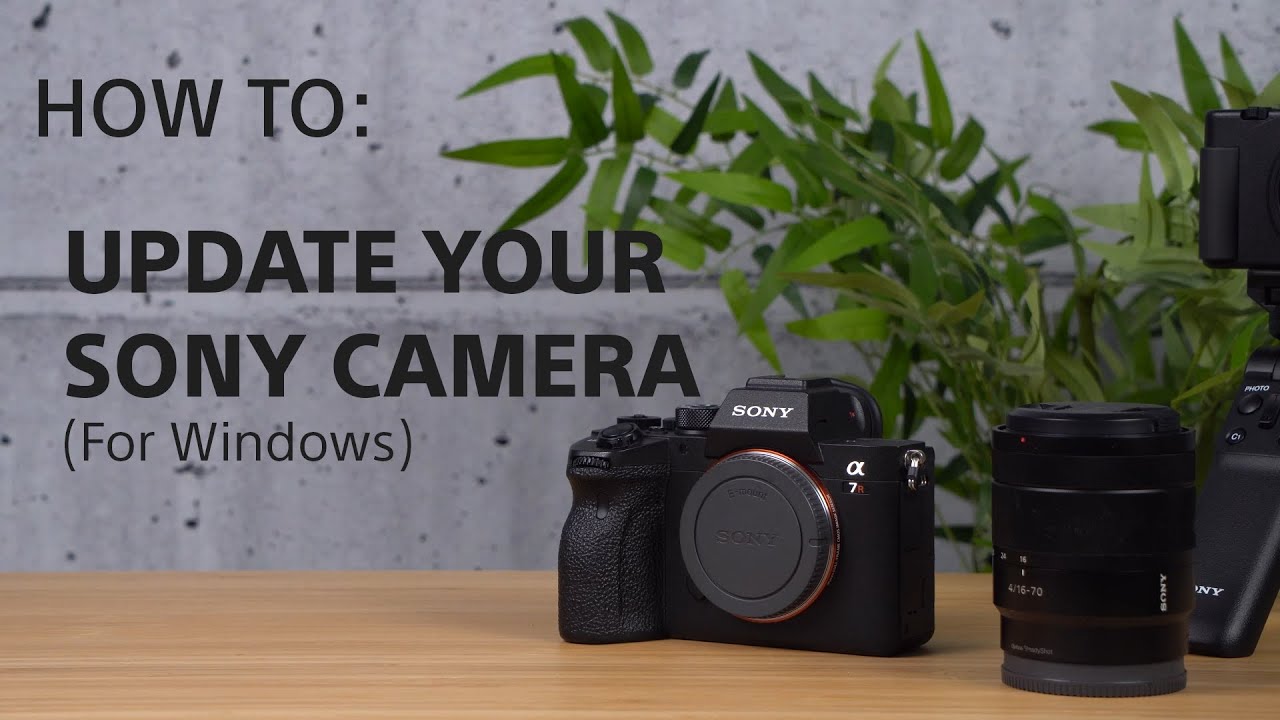
[VIDEO] How to update the firmware of your Sony Alpha Cameras for Windows
> Watch this video in the article

Please accept Youtube cookies to watch this video

Access your cookie preferences below and make sure to switch on the Youtube cookie under the 'Functional' section.

Shopping Information

  • Online Shopping Information
  • Delivery Information
  • Returns Information
  • My Account
  • Track your Order

About Sony

  • About Sony
  • Careers
  • Warranty Information
  • Contact Us
  • Privacy Collection Notice

News & Info

  • Press Centre
  • Commercial & B2B
New Zealand
  • Professional Products & Solutions
  • Corporate
  • Careers
  • Contact Us

Like us on Facebook

Visit us on Facebook

Subscribe on YouTube

Visit us on YouTube

Follow us on Twitter

Tweet

Visit us on Twitter


  • TERMS & CONDITIONS
  • PRIVACY POLICY
  • PRIVACY COLLECTION NOTICE

Sony Group Portal Site Sony Group Portal Site

COPYRIGHT © 2026 SONY NEW ZEALAND. ALL RIGHTS RESERVED.

  • Visa
  • MasterCard
  • Amex
  • Paypal
  • Afterpay_Draft